Open selected apps faster
Keep chosen apps and groups available through Widget Launcher, Quick Launcher, and cover-screen menus on supported devices.
Cover screen launcher for Galaxy Z Flip
9 Flip Launcher is a dedicated effort to make the cover screen feel closer to the main screen for everyday actions: apps, gestures, notifications, media controls, quick settings, custom icons, and cover-aware shortcuts.
Basic setup is free. Some advanced actions include limited free uses; when those uses run out, the app tells you and offers Premium.
Why Z Flip users install it
The app focuses on the everyday tasks flip-phone owners usually unfold for: opening the right app, checking what matters, changing a setting, and getting back to life with fewer main-screen trips.
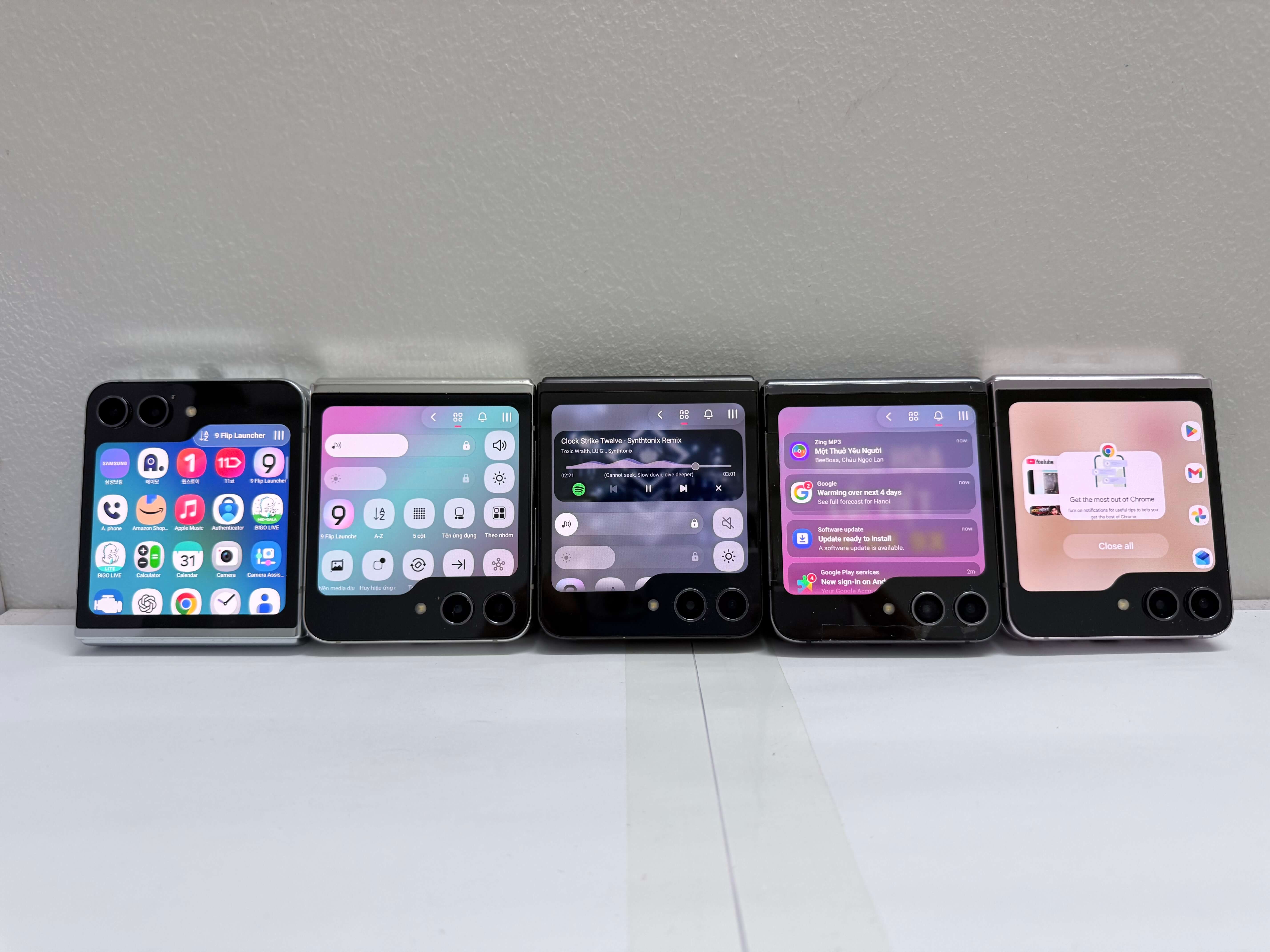
Keep chosen apps and groups available through Widget Launcher, Quick Launcher, and cover-screen menus on supported devices.
Use cover-screen gestures, AssistiveTouch actions, Recent Apps, Home, and app switching helpers after enabling the required access.
Show notification cards, unread badges, active app signals, media controls, and supported notification actions on the cover screen.
Reach practical controls for rotation, display mode, columns, sort order, names, badges, brightness, volume, sound, vibration, and settings shortcuts.
Customize AssistiveTouch, app icon choices, cover wallpaper, media artwork background behavior, layout density, and haptic preferences.
Optimized for Samsung Galaxy Z Flip cover screens, with selected behavior available on compatible flip-style Android foldables where device software allows it.
Premium value
Foldables are premium phones. 9 Flip Launcher Premium is priced like a small everyday convenience: unlimited supported cover-screen actions, fewer unlock-and-unfold moments, and a faster path to the apps and controls you already use.
Google Play shows the final local price, billing period, renewal terms, taxes where applicable, and cancellation controls before you confirm. Annual plans are positioned as the best value when available.
Google Play preview
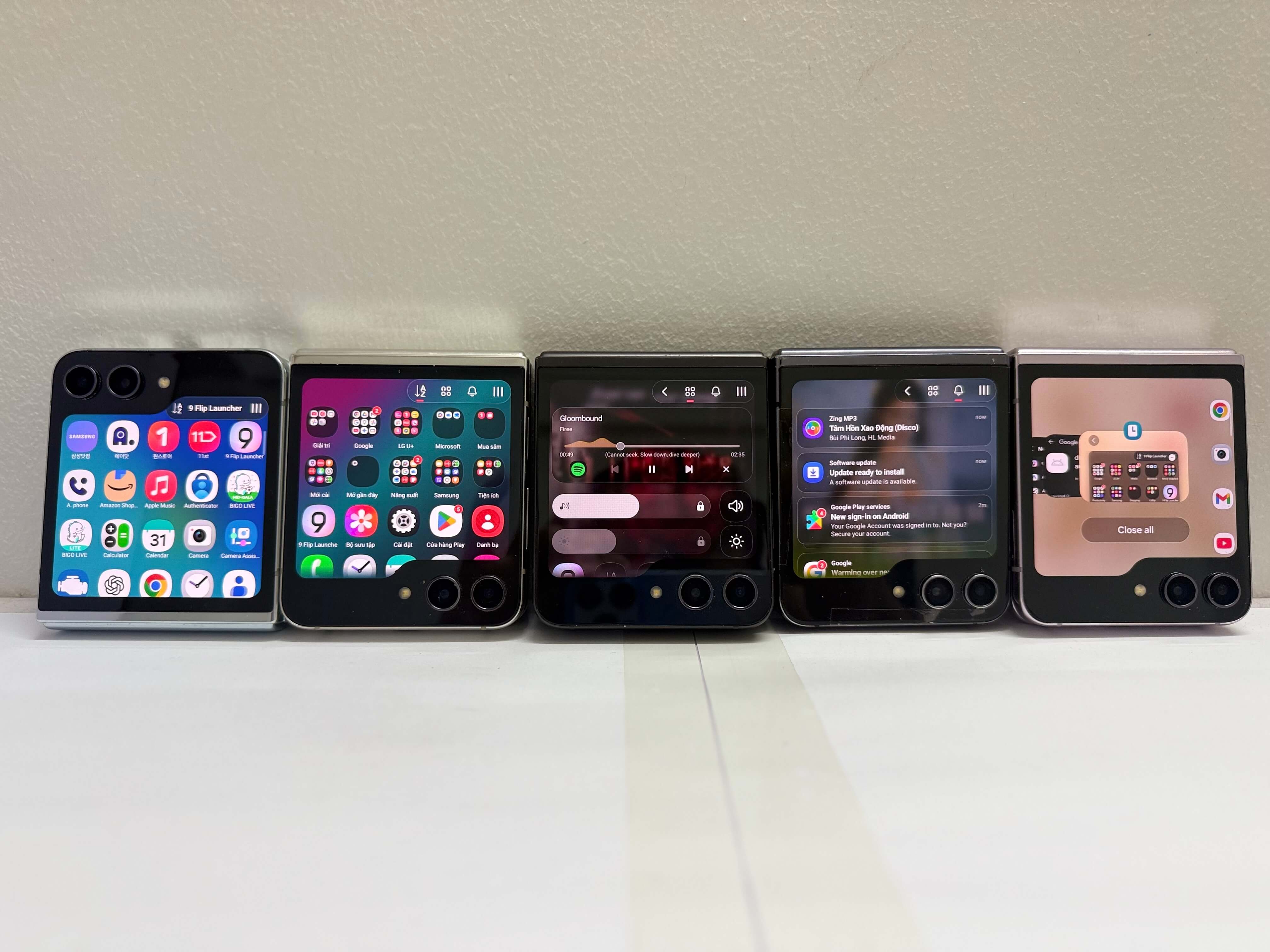
The current preview uses two real landscape captures to show the app experience clearly. Device UI can vary by model, Android version, Samsung software, and enabled permissions.
Privacy and trust
Cover-screen features need Android access that normal launchers do not. 9 Flip Launcher keeps that access tied to features you choose and explains sensitive permissions before you enable them.
Search-friendly answers
It is optimized for Samsung Galaxy Z Flip cover screens, including modern Z Flip models. Some features may work on compatible flip-style Android foldables, depending on device software and permissions.
No. 9 Flip Launcher focuses on cover-screen workflows. It helps you open apps, actions, widgets, notifications, and controls from the outer screen.
Advanced cover-screen gestures, Recent Apps, overlay behavior, notification cards, badges, media controls, and supported notification actions need Android special access. You choose what to enable.
Basic setup is free. Some advanced features include limited free uses, and the app shows a notice when those uses are used up. Premium removes supported limits. Google Play shows your local price and renewal details before purchase.
Install from Google Play
Built for Galaxy Z Flip owners who want fast actions, fewer unfolds, and a cover screen that feels practical every day.